Conclusion: Accept a long-range image only if the installed system lets the operator finish the project task. Do this at the agreed target and distance range. Test it under recorded conditions. Use the real live and recorded viewing chain.
- Define the decision first: state the target feature, operator task, sensor channel, distance band, display, and approved pass rule.
- Test the installed chain: include the final mount, focus behavior, atmosphere, network, VMS, monitor, recording, replay, and export path.
- Keep a full evidence trail: repeat the method, keep bad and invalid runs, note any changes, and link each retest to the first result.
No universal range or image-quality threshold applies to every site. The valid threshold is the one approved for the specific project, configuration, target, method, and operating conditions.
Define Image Usability Before You Define the Test
“Good image quality” is too subjective for procurement or site acceptance. Two reviewers can look at the same video and reach different conclusions because they are judging sharpness rather than the operational task. Replace that language with an observable decision and a named feature.
For example, the requirement may be to maintain a target within the scene, distinguish a vehicle from background clutter, or confirm a specific visible feature defined by the project. State who makes the decision, on which display, from which sensor channel, and from live video, replay, or exported evidence. The pass rule belongs in the approved project specification or test procedure, not in a generic camera guide.
This boundary matters because image usability is not the same as an advertised range, a theoretical pixel calculation, or a distance returned by another sensor. If the project also needs measured target distance, handle that through a separate laser rangefinder target verification procedure. Commercial comparisons of long-range PTZ camera systems should likewise remain separate from the SAT method.
Freeze the Test Configuration
Results cannot be compared if the equipment or video path changes between runs. Before the first test, issue a configuration sheet and give it the same document control as the acceptance procedure. Record at least:
- camera, sensor channel, lens or zoom state, focus mode, image settings, and software or firmware revision;
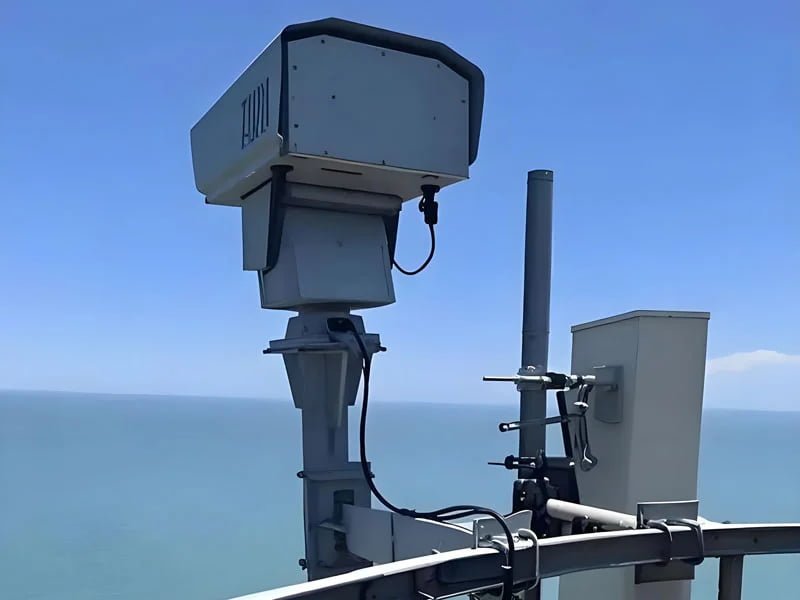
- PTZ mount, bracket, pole or tower, fasteners, cable routing, housing window, and any equipment between the payload and structure;
- controller, encoder, network route, VMS profile, stream selection, recording settings, operator workstation, monitor, and export method;
- date, time, test personnel, target location, observation point, and the revision of the test matrix;
- any automatic image processing that is enabled, disabled, or changed during the test.
Photograph the installed configuration and save screen captures of relevant settings. If a setting changes, record the reason and treat the next run as a new configuration. Never fill a missing field with a value from a similar model or an earlier quotation.
Build a Target and Distance Matrix
Use project-defined distance bands rather than one claimed maximum. A practical matrix normally includes priority near, intermediate, and far cases, but the actual locations must come from the site survey and operator workflow. Each row should describe the feature the reviewer must use, not merely the presence of a large target.
| Matrix field | What to define | Evidence to retain |
|---|---|---|
| Test case | Unique ID, operator task, target, and priority | Approved matrix row and target reference |
| Geometry | Observation point, target location, distance band, angle, and line of sight | Site plan, photographs, and reference method |
| Imaging state | Sensor channel, field of view, focus mode, and relevant settings | Configuration capture and raw clip |
| Decision | Exact feature to be observed and approved pass rule | Reviewer result, timestamp, and comments |
| Repeat method | Starting position, movement, focusing sequence, repetitions, and reset rule | Run log including invalid and unfavorable results |
Where visible and thermal channels are both proposed, define the job of each channel before the test. Thermal contrast, visible detail, target background, and time of day can produce different outcomes. JEC’s discussion of visible and thermal sensor roles can help structure that division without assuming that the two channels share one acceptance criterion.
Record Atmosphere and Time of Day
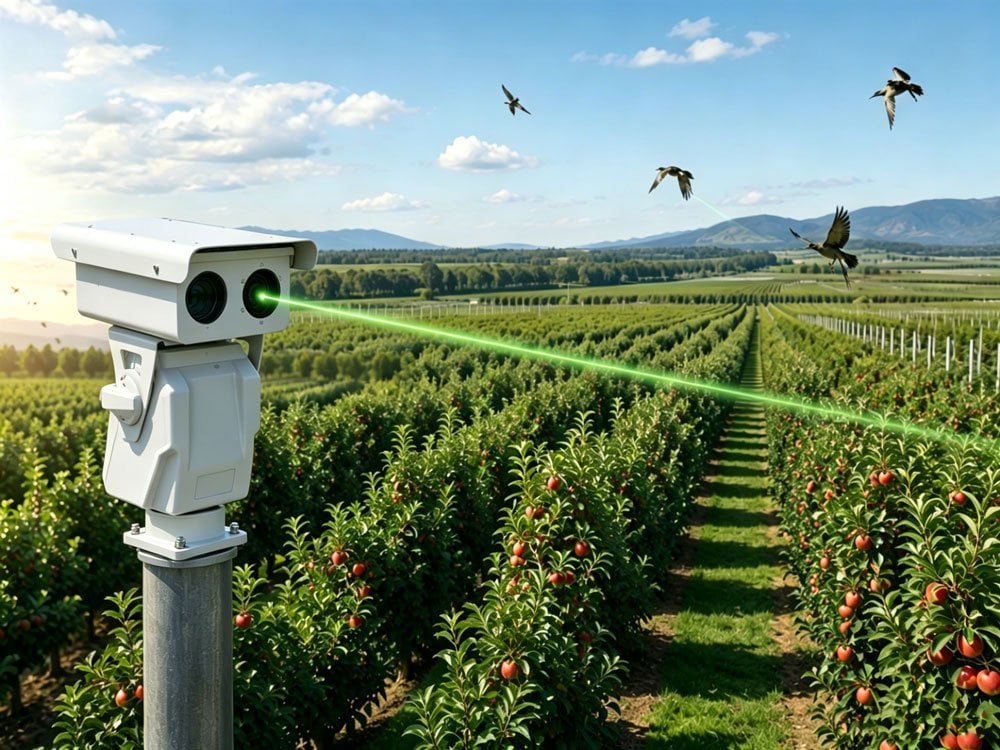
A long optical path crosses a changing volume of air. Haze, humidity, precipitation, glare, solar heating, heat shimmer, and background contrast can alter what reaches the sensor. The test report should therefore describe the conditions for every run, not only the camera settings.
Record the observation time, recent weather, visibility reference, precipitation, wind state, lighting direction, glare, apparent heat shimmer, target background, and any temporary obstruction. Use available site instruments or a project-approved weather source, and identify the source in the log. A general weather description such as “clear” is not enough when conditions change across the route.
Do not quietly postpone all difficult runs until the air looks favorable. If the contract defines an operating envelope, test representative conditions within that envelope. If the required condition does not occur during the acceptance window, mark the result as limited or not tested and follow the agreed retest rule. A conditional result is more useful than an unsupported pass.
Separate Focus Performance from Atmospheric Limits
Soft detail at long range may come from defocus, a focus search, local foreground capture, optical-window contamination, or the atmosphere. The test method should isolate these causes instead of assigning every poor frame to “visibility.”
Start from a controlled PTZ position and repeat the same zoom or field-of-view transition. Record whether focus is automatic or manual, the starting state, the selected target region, the focus command, the point at which the reviewer considers the image usable, and any hunting or background capture. Keep the continuous clip; a still image removes the sequence that reveals how the system reached focus.
Repeat the case after moving to another target and returning. If manual correction is allowed, separate the result from the automatic-focus run. When heat shimmer or haze changes quickly, include a stationary reference and record several intervals. The purpose is not to assign a universal focus-time limit, but to show whether the configured method satisfies the project’s own timing and usability requirement.
Verify Mounting Stability and Post-Move Settling
A camera can produce a stable laboratory image yet become difficult to use on a pole, tower, roof, vehicle, or exposed platform. Motion may come from the support structure, bracket compliance, cable movement, nearby machinery, wind, or the PTZ movement itself.
Include a stationary high-contrast reference in the scene and record video before, during, and after a project-relevant pan, tilt, or zoom movement. Note wind and equipment state. Review whether the target drifts, oscillates, blurs, or leaves the required framing, and record the time or event used by the approved procedure to judge settling. Repeat the test from more than one direction because cable load and mechanical approach can differ.
If movement is excessive, do not immediately change camera processing to hide it. First preserve the evidence, inspect the structural path, cables, fasteners, mounting interfaces, and nearby vibration sources, then record corrective action and retest the same matrix row. The final report should distinguish camera behavior from site-structure behavior.
Test the Full Display and Recording Chain
The accepted system is more than the camera head. Compression, stream selection, network behavior, VMS scaling, monitor settings, recording profiles, replay controls, and export processing can change what an operator sees.
Where possible, compare a controlled camera-side or reference output with the operational workstation. Then review the same event as live video, recorded playback, and exported evidence. Confirm that the correct stream and sensor channel are associated with the test case and that timestamps allow the clip to be matched to the run log.
- Check the operator’s normal display layout as well as a focused single-camera view.
- Record stream, resolution, frame-rate, compression, and recording-profile settings without assuming that a label proves the delivered output.
- Look for dropped frames, delayed updates, scaling artifacts, interrupted recording, or a different replay profile.
- Export a sample through the process that the customer will actually use and verify that the evidence remains intelligible.
- Document responsibility for camera, network, VMS, workstation, monitor, storage, and export issues.
Interface availability and exact output behavior are configuration-specific. They must be confirmed with the proposed system and version rather than inferred from a product-family description.
Repeat Tests and Keep Unfavorable Results
One successful run says little about repeatability. Define the number of repetitions in the approved procedure and keep the starting state consistent. Where the workflow includes a preset or a cue from another system, begin from that operational state rather than manually framing the target before every run.
Retain valid passes, failures, invalid runs, focus searches, temporary obstructions, network interruptions, and operator retries. Mark why a run is invalid instead of deleting it. If a condition changes materially, split the data into separate groups. This prevents a favorable average from hiding a systematic problem.
When corrective action is required, link the deviation to the affected matrix rows, identify what changed, and repeat those rows under comparable conditions. A retest should never overwrite the original evidence.
Build an Evidence Pack, Not a Pass/Fail Screenshot
| Evidence item | Minimum content | Acceptance use |
|---|---|---|
| Controlled configuration sheet | Installed hardware, software, settings, mount, video path, and revision | Shows exactly what was tested |
| Target and geometry record | Target reference, feature, location, line of sight, and distance method | Connects the image to the approved task |
| Condition log | Time, lighting, atmosphere, wind state, heat shimmer, and limitations | Explains the environment of each result |
| Raw and operational video | Continuous clips, live view, replay, export, and timestamps | Preserves focus, movement, and end-to-end behavior |
| Result and deviation log | All runs, reviewer, pass rule, result, comments, corrective action, and retest link | Creates an auditable decision trail |
| Approval record | Witnesses, open items, conditional acceptance, dates, and signatures | Defines what was accepted and what remains open |
Use consistent file names that include the test-case ID, run number, channel, and timestamp. Store original media separately from annotated copies. The evidence pack should let another reviewer reconstruct the test without relying on the memory of the commissioning team.
Define FAT-to-SAT Responsibility
FAT is useful for confirming the agreed configuration, controls, streams, recording path, focus workflow, and evidence format under controlled conditions. It does not prove the final line of sight, atmosphere, structure, network, monitor, or operator workstation.
The acceptance plan should state who supplies targets and reference equipment, who controls camera settings, who records conditions, who owns the mount and network, who witnesses each case, and who can approve a deviation. It should also identify which changes trigger a partial or full retest. This division is especially important for critical infrastructure security requirements, where camera, civil works, network, control room, and security operations may have different owners.
Apply the Method to a JEC Long-Range Project
Begin with the task matrix, not a model number. Send JEC the target features, distance bands, day and night cases, atmosphere, mounting structure, sensor roles, VMS and display chain, recording and export requirements, and proposed FAT/SAT evidence format. You can then review a configurable long-range EO/IR PTZ platform against those inputs. Final options, interfaces, performance limits, and acceptance values require configuration-specific technical review.
Request a long-range PTZ project review and attach the draft test matrix. A precise acceptance plan makes supplier responses easier to compare and gives the site team a record it can defend after commissioning.
Frequently Asked Questions
What should a long-range PTZ camera acceptance test prove?
It should prove that the installed system lets the operator complete a defined task for an agreed target and distance band under recorded conditions, using the operational live and recorded video chain. It should also preserve enough evidence for an independent reviewer to reconstruct the result.
Can an advertised camera range be used as the SAT threshold?
Not by itself. A range statement is incomplete without the target, required feature, atmosphere, sensor and lens state, mounting, display chain, method, and pass rule. Use the approved project test matrix as the acceptance basis.
How should haze and heat shimmer be handled during testing?
Record the conditions for each run, retain the video, and compare results only when the test basis is clear. If conditions fall outside the agreed acceptance envelope or the required condition never occurs, record the limitation and apply the approved retest or conditional-acceptance rule.
Conclusion
Long-range image acceptance is a decision test, not a contest for the sharpest isolated frame. The result is credible only when the target task, distance band, conditions, configuration, installed structure, and complete viewing chain are controlled and recorded.
Freeze the setup before testing. Separate weather, focus, and stability effects. Repeat each high-priority case. Keep the full evidence trail. That approach gives the buyer, integrator, and commissioning team a clear basis for acceptance decisions. They can accept, accept with conditions, require fixes, or request a retest.