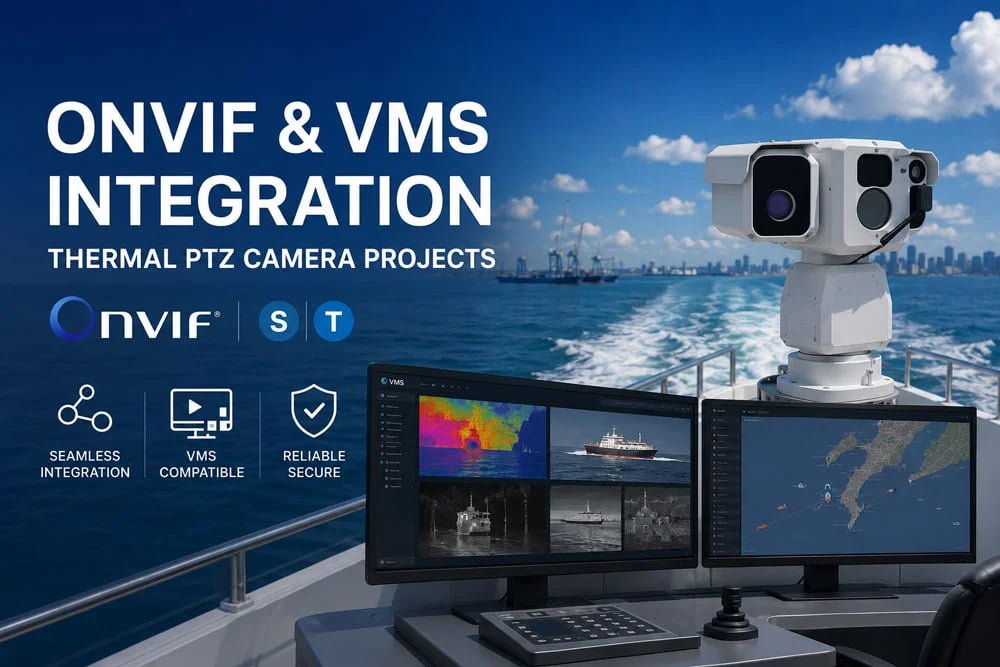
Direct answer: Before selecting an ONVIF PTZ camera for a security project, integrators should confirm the required ONVIF profile, video stream format, PTZ control method, preset behavior, VMS compatibility, alarm linkage, user permission model, network environment, documentation package, and any SDK/API requirement. For a thermal PTZ camera or EO/IR system, the RFQ should also explain how thermal and visible channels will be used inside the command platform.
For many overseas B2B buyers, the first technical question is not “What is the price?” It is usually more practical: “Will this camera work with our VMS?” A distributor may need the same camera to connect with several software platforms. A security integrator may need preset control from a perimeter alarm system. An OEM/ODM buyer may ask for SDK, API, firmware logic, or private-label documentation. A project contractor may simply need fewer integration surprises before site acceptance.
This guide is written for security integrators, distributors, OEM/ODM buyers, and project contractors sourcing thermal PTZ, EO/IR PTZ, and long-range surveillance camera systems for industrial, perimeter, border, coastal, airport, and critical infrastructure projects.
Why ONVIF and VMS Questions Should Come Before Price
A professional surveillance camera is rarely installed as a standalone device. In most projects, it becomes part of a larger environment that may include VMS software, NVRs, radar, perimeter sensors, alarm input modules, network switches, operator workstations, and command-center displays.
If the integration questions are left until after purchase, small details can create expensive delays. A camera may stream video correctly but fail to respond to preset commands. A VMS may discover the visible channel but not display the thermal channel as expected. An alarm system may trigger an event but not call the correct PTZ preset.
That is why VMS integration should be treated as a procurement requirement, not an after-sales troubleshooting task.
Confirm the ONVIF Profile Required by the Project
Do not write only “must support ONVIF” in the RFQ. That sentence is too broad for serious project work. The buyer should confirm which ONVIF profile is required by the VMS, NVR, or command software.
ONVIF profiles are designed to help identify how conformant devices and clients work together. Profile S is commonly associated with IP video streaming and, when supported by the device and client, PTZ control. Profile T is designed for more advanced video streaming features, including video encoding support, imaging settings, events, metadata, and PTZ control in conformant systems.
External reference: ONVIF Profile S and ONVIF Profile T.
For a thermal PTZ camera RFQ, ask the supplier to confirm:
- Which ONVIF profile is supported
- Whether the target VMS can discover both thermal and visible channels
- Whether PTZ movement, presets, tours, and patrol functions are available through the VMS
- Whether the project requires ONVIF event handling or only video streaming
- Whether the camera has been tested with the buyer’s specific VMS platform and version
Confirm Thermal and Visible Video Stream Handling
Many professional EO/IR systems combine a thermal channel and a visible zoom channel. Some operators want both streams on one screen. Others use thermal imaging for detection and visible zoom for confirmation. In anti-drone, perimeter, coastal, or border projects, the workflow can be different from site to site.
The RFQ should describe how operators will use the two channels:
- Thermal stream only
- Visible stream only
- Thermal and visible streams displayed side by side
- Thermal detection followed by visible confirmation
- Command-center switching between thermal and visible views
- Recording requirements for one or both channels
Ask the supplier to confirm stream format, resolution, frame rate, bitrate control, codec support, and channel discovery behavior. Do not assume every VMS will handle dual-channel EO/IR video in the same way.
Test PTZ Control Behavior, Not Just Video Display
A camera appearing online in the VMS is not the same as a successful integration. For a PTZ control protocol, the real question is: what can the operator actually do from the platform?
Confirm whether the VMS can support:
- Manual pan and tilt control
- Visible zoom control
- Thermal and visible channel switching
- Preset creation and preset calling
- Patrol route operation
- Alarm-to-preset action
- Auto-tracking enable or disable, if required
- Different operator permission levels for PTZ control
This is especially important for perimeter and infrastructure projects. A control room may allow one operator to view the camera, another to control PTZ movement, and a supervisor to manage patrol routes. If permissions are not planned early, the system may work technically but fail operationally.
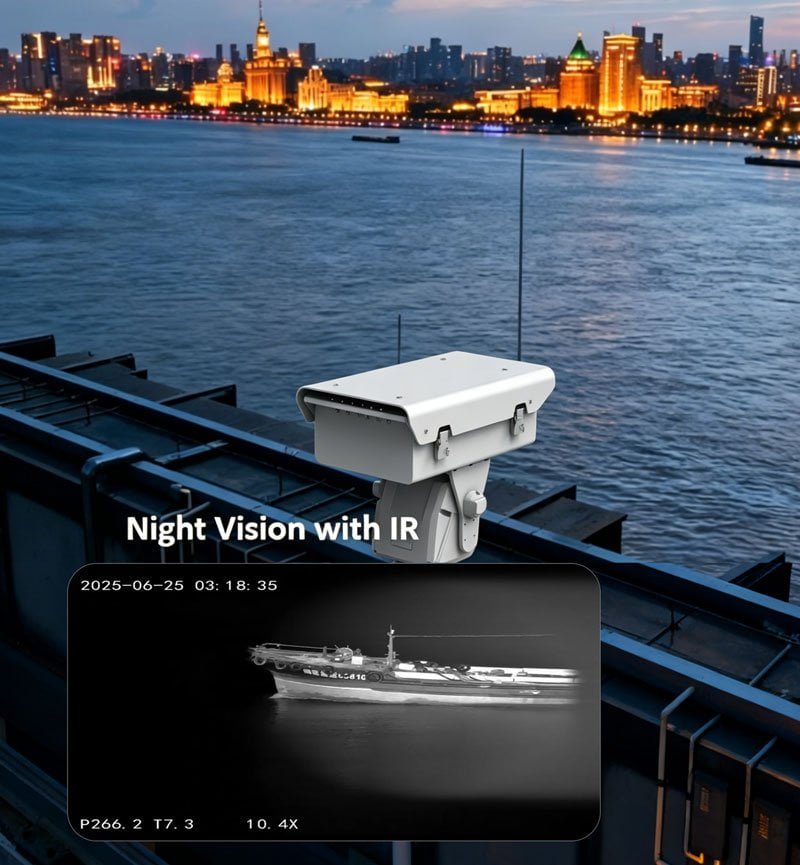
Define the Alarm-to-PTZ Workflow
In industrial sites, substations, airports, borders, and coastal monitoring stations, PTZ cameras are often linked with another detection source. That source may be radar, a fence sensor, video analytics, access control, or a perimeter alarm system.
The buyer should describe the alarm workflow in plain language:
- What triggers the alarm?
- Which system receives the alarm first?
- Should the PTZ camera move to a preset?
- Should the camera start recording?
- Should an operator receive a pop-up video window?
- Should the thermal channel or visible channel appear first?
A practical RFQ sentence could be:
“When the perimeter alarm is triggered in Zone 3, the VMS should call PTZ Preset 03, display the thermal stream first, allow the operator to switch to visible zoom, and record both channels for incident review.”
This wording gives the supplier and integrator a clearer engineering target than simply saying “camera must support alarm linkage.”
Ask About RTSP, SDK, API, and Private Integration Needs
ONVIF may be enough for many standard VMS projects. But OEM/ODM buyers and platform developers may need deeper integration. A private platform may require direct stream access, custom commands, firmware logic, or a defined API.
Ask whether the project requires:
- RTSP PTZ camera stream access
- SDK or API documentation
- Custom command integration
- Firmware logic adjustment
- Alarm input/output mapping
- Private-label interface documentation
- Protocol testing before sample or batch order
For an EO/IR PTZ camera, this step matters because the buyer may need to control more than pan, tilt, and zoom. Depending on the configuration, the project may require channel switching, thermal palette control, lens behavior, tracking logic, or payload coordination. These details should be confirmed before the purchase order, not during site commissioning.
Confirm Network and Cybersecurity Requirements
Integration is not only about the camera and VMS. The network environment can decide whether a project runs smoothly or becomes difficult to maintain.
Ask the project team to define:
- Whether the camera connects to a local VMS server or remote command center
- Whether the site uses fixed IP addresses, VLANs, VPN, or private network routing
- Whether bandwidth is limited at remote sites
- Whether HTTPS, user-role management, password policy, or firmware update control is required
- Whether video is recorded locally, centrally, or both
For border, coastal, and critical infrastructure projects, this discussion can be as important as lens selection. A long-range camera is difficult to use if the network cannot carry the required streams reliably.
Check Outdoor Installation and Enclosure Requirements
Even a well-integrated camera can fail if the installation environment is not properly defined. Outdoor projects should confirm enclosure protection, mounting method, cable routing, wind exposure, power supply, and maintenance access.
For enclosure protection language, buyers can refer to the IEC explanation of ingress protection ratings, which describes how enclosures are rated against dust and water intrusion.
External reference: IEC Ingress Protection ratings.
Ask the supplier to confirm the required outdoor protection level, operating temperature range, connector design, bracket, heater, wiper, coating, and environmental testing documents. Do not publish specific IP rating, temperature range, certification, or test result unless it is confirmed by the exact product datasheet.
[IMAGE 3: outdoor-thermal-ptz-camera-integration-checklist.jpg | Outdoor thermal PTZ camera installation and integration checklist for industrial surveillance]
A Better RFQ Structure for Integrators
For security integrators, the following RFQ structure is more useful than a simple model request.
Project Information
- Application: industrial perimeter, airport, border, coastal, substation, oil and gas, or anti-drone visual verification
- Country or region
- Installation environment
- Quantity
- Expected project timeline
Camera and Imaging Requirements
- Thermal channel requirement
- Visible zoom requirement
- Dual-channel display requirement
- Target type and observation task
- Expected field of view or observation zone
- Any detection distance requirement that must be verified through project evaluation
Integration Requirements
- VMS brand and software version
- ONVIF profile requirement
- RTSP requirement
- SDK/API requirement
- Alarm input/output workflow
- Radar, fence sensor, or third-party platform integration
- Preset, patrol, and operator permission requirements
Documentation Requirements
- Datasheet
- User manual
- Installation guide
- Interface description
- Protocol information
- Available compliance documents
- Drawing or CAD file if required for mechanical design
Recommended JEC Internal Links for Buyers
For project evaluation, buyers can review JEC’s thermal imaging and PTZ camera solutions, the high-speed thermal PTZ camera page, the critical infrastructure security solution, the anti-drone PTZ camera system, and the contact page for project-based RFQ discussion.
Recommended Video Placement
FAQ
1. Is ONVIF support enough to guarantee VMS compatibility?
No. ONVIF support is an important starting point, but buyers should confirm the required ONVIF profile, VMS version, video stream handling, PTZ control behavior, preset functions, event handling, and whether the camera has been tested with the target platform.
2. What should integrators confirm before connecting a thermal PTZ camera to VMS?
Confirm thermal and visible stream handling, PTZ control, presets, patrols, alarm linkage, user permissions, network settings, recording requirements, SDK/API needs, and documentation availability.
3. Can one EO/IR PTZ camera provide both thermal and visible video to a VMS?
It may be possible depending on the camera configuration and VMS capability. Buyers should confirm dual-stream discovery, codec, channel naming, recording behavior, and display logic with the supplier and VMS provider.
4. Should OEM/ODM buyers request SDK or API support?
Yes, if the buyer needs private platform integration, custom commands, firmware logic, special alarm behavior, or deeper control beyond standard VMS functions. Exact SDK/API availability should be confirmed before sample or batch order.
5. Why do PTZ presets matter in perimeter security projects?
Presets allow the camera to move quickly to predefined zones after an operator command or alarm trigger. For industrial perimeter, substation, airport, and border projects, preset behavior should be tested inside the actual VMS workflow.
6. What information should be included in an RFQ for ONVIF PTZ camera integration?
Include the VMS platform, ONVIF profile requirement, stream requirement, PTZ control needs, alarm workflow, network layout, target application, mounting environment, documentation needs, quantity, and OEM/ODM customization requirements.
CTA
Send JEC your VMS platform, ONVIF profile requirement, video stream requirement, PTZ control workflow, alarm linkage logic, installation environment, quantity, and OEM/ODM needs. JEC can review your project information and recommend a suitable thermal PTZ or EO/IR PTZ configuration for further technical confirmation, quotation, and documentation review.