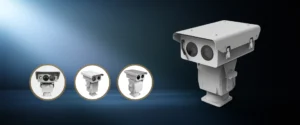
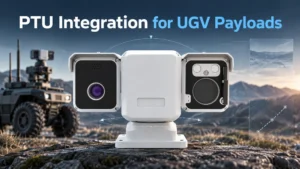
For industrial sites, airports, ports, borders, and critical infrastructure, an AI auto-tracking PTZ camera should be treated as a workflow engine rather than a standalone camera. A reliable intelligent PTZ system connects detection, verification, tracking, alarm response, recording, and operator decision-making into one engineering workflow.
Why Auto Tracking PTZ Matters in Industrial Security
The real pain point in industrial security is not simply visibility, but scale: very large spaces, too few operators, and too much delay between alarm and visual confirmation.
In low visibility, a Thermal PTZ Camera or infrared PTZ camera layer is not a luxury feature. It keeps target tracking surveillance usable when visible-only systems become unreliable.
Recommended JEC PTZ product link: Thermal PTZ Camera
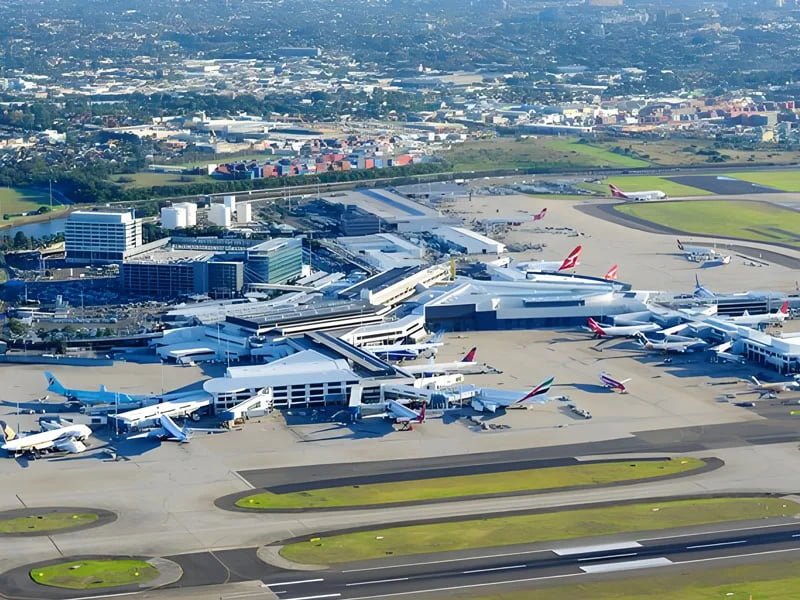
Airports and large industrial perimeters are classic deployment scenarios for AI auto-tracking PTZ systems, where long-range observation, day-night verification, and centralized response matter most.
Trigger Logic That Starts Reliable Tracking
The engineering question is not whether a PTZ can track, but which events are allowed to start tracking.
Reliable systems usually use layered triggers:
- AI object detection, such as people, vehicles, vessels, or UAVs
- Tripwire, line-crossing, intrusion zone, and loitering rules
- Radar event cues
- Thermal anomalies
- VMS or alarm I/O events
- Radar/RF alerts from an anti drone detection system
In large industrial or anti-UAV deployments, wide-area search should usually belong to radar, RF, fixed thermal imaging, or fixed AI cameras. The PTZ should handle slew-to-cue, visual confirmation, classification, close-up tracking, and evidence capture.
Recommended JEC PTZ product link: Anti-Drone System
Tracking Workflow From Detection to Evidence
A practical auto tracking PTZ workflow is:
Detect target → classify target → slew PTZ to coordinates → optical/thermal zoom verifies → AI maintains lock → VMS records video and metadata → operator confirms response
This makes the AI PTZ camera part of a broader event-handling chain instead of a device acting alone.
The difficult part is state handling. PTZ autotracking is best used in scenes with controlled or limited movement, not as a universal search tool for crowded areas. You also need explicit rules for target loss, re-detection, auto release, return-to-home, and patrol resume.
False Alarm Control for Target Tracking Surveillance
False alarm control has to be designed from the start. Industrial projects should use:
- Object class filtering
- Direction rules
- Size and duration thresholds
- Speed filters
- Restricted zones
- Time schedules
- Thermal-visible cross-checking
- Confidence scoring
- Dwell time logic
- Manual takeover with automatic resume
This is especially important for ports, borders, substations, airports, wind farms, and coastal sites where animals, moving vegetation, weather, reflections, or shadows can create false events.
A reliable target tracking surveillance design should not track every moving object. It should track only the objects that match the project’s threat model.
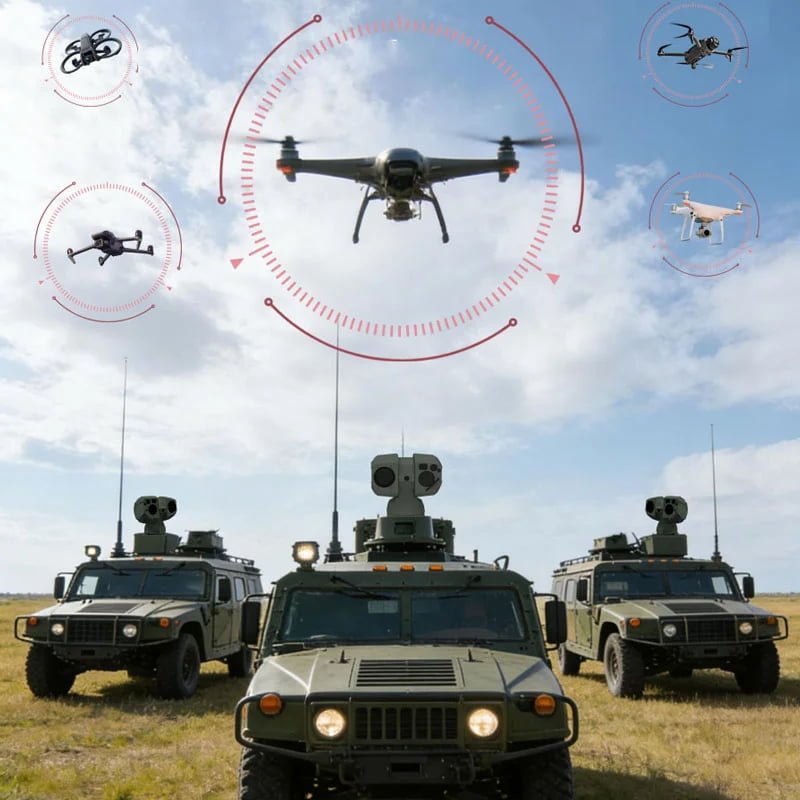
In anti-drone and low-altitude security, radar/RF are better suited for early warning, while EO/IR PTZ units are better suited for confirmation, classification, and evidence capture.
Integration Requirements for VMS Engineers
For VMS engineers, “ONVIF supported” is not enough. You should verify which ONVIF profiles and integration functions are actually supported.
ONVIF Profile S is relevant for IP video streaming and PTZ control. Depending on the project, engineers may also need recording support, metadata streaming, event triggers, HTTPS, digital I/O, SDK/API access, edge storage, and serial control.
Key integration items include:
- ONVIF Profile S / G / T / M support
- RTSP video streaming
- SDK or API access
- Alarm input/output
- RS485 / RS422
- PELCO-D
- AI metadata
- Edge storage
- Cybersecurity settings
- PTZ latency
- Return-to-home logic
- Manual override behavior
- VMS event recording and playback
Recommended JEC PTZ product link: Counter-UAS Tracking PTZ Cameras
How to Evaluate Whole-System Supplier Capability
Supplier evaluation should cover mechanics, sensors, interfaces, and delivery capability, not just AI marketing.
For industrial security projects, check whether the supplier can provide:
- Mechanical PTZ capability: speed, stability, accuracy, weather resistance, and long-life operation
- Sensor stack: visible zoom, thermal imaging, laser rangefinder, GPS-related capability, and low-light support
- Interface layer: ONVIF, RTSP, RS485/422, PELCO-D, alarm I/O, SDK/API, and edge storage
- System delivery: OEM/ODM, customization, testing, documentation, and project support
For airports, borders, ports, energy facilities, and anti-drone projects, the best supplier is not always the one with the most AI buzzwords. It is the one that can integrate mechanics, optics, thermal imaging, protocols, and project delivery into one reliable system.
Recommended Video
A JEC PTZ channel demo showing the T-D-H8355-66100A-850-500-GPS Series locking and tracking moving targets such as vehicles, people, and small birds.
Project CTA
Send your VMS platform, target type, detection distance, trigger source, and site layout.
JEC PTZ can then recommend a realistic configuration, whether that is an AI PTZ camera, infrared PTZ camera, Thermal PTZ Camera, or an anti-drone tracking system with radar/RF detection and EO/IR verification.